The Advantages of the AV Design-Build Process: A Smarter Approach to Commercial Audio-Visual Projects

In today’s technology-driven workplace, commercial audio-visual systems play an essential role in communication, collaboration, training, and daily business operations. From advanced video conferencing rooms to large presentation spaces and integrated building technology, today’s AV systems require careful planning, technical expertise, and coordination across multiple disciplines.

Choosing the right approach to designing and implementing these systems can make a significant difference in the overall project experience.

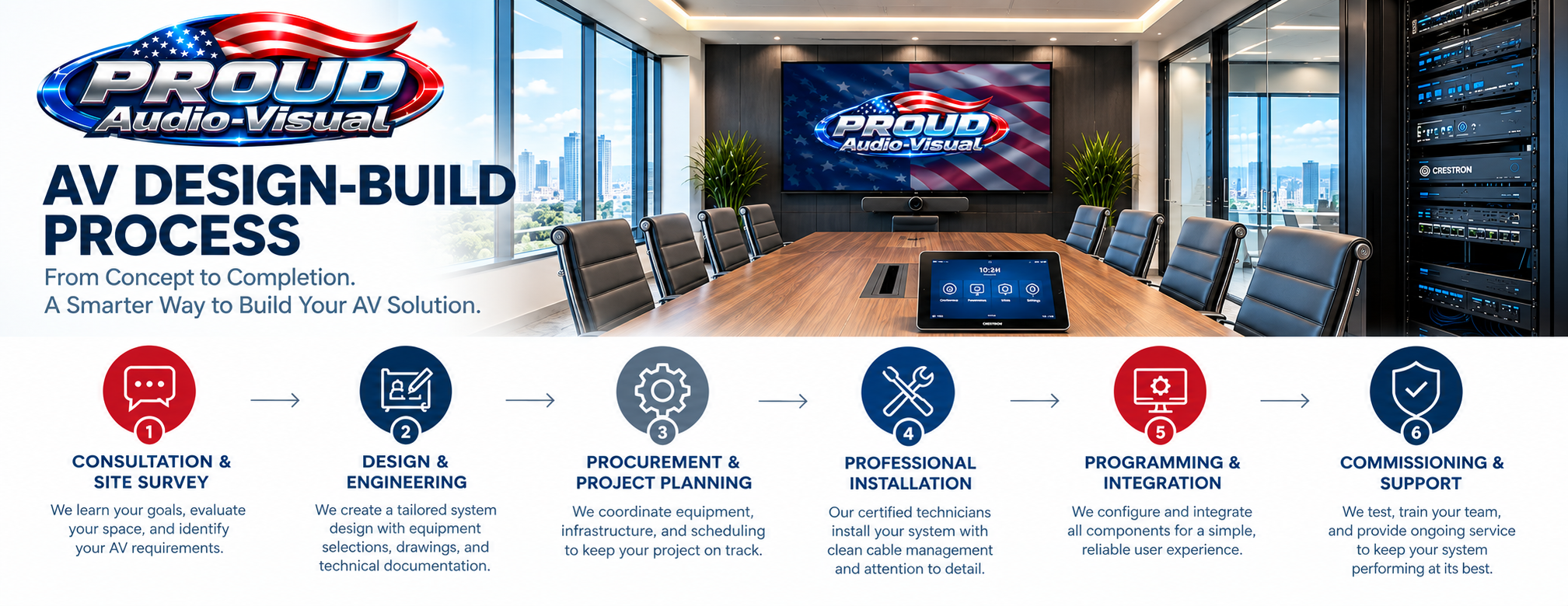
The AV design-build process brings system design, engineering, equipment integration, installation, programming, and commissioning together through a coordinated project approach. Rather than treating each phase as a separate activity, design-build considers how the entire system will function from the beginning.

At Proud Audio-Visual, this approach helps establish a clear path from the initial project concept to a professionally integrated AV solution tailored to the needs of the facility and its users.

What Is AV Design-Build?

AV design-build is a project delivery approach in which the design and implementation of an audio-visual system are coordinated as part of an overall process.

Traditional project delivery may involve separate parties responsible for AV design, equipment procurement, installation, and programming. While this approach can work effectively, it may also require additional coordination to ensure that the system design, infrastructure, equipment selections, and installation methods remain aligned.

A coordinated design-build approach brings these considerations together earlier in the project.

The process typically includes:

  • Discovery, consultation, and site surveys
  • AV system design and engineering
  • Equipment selection and procurement
  • Coordination with construction and IT teams
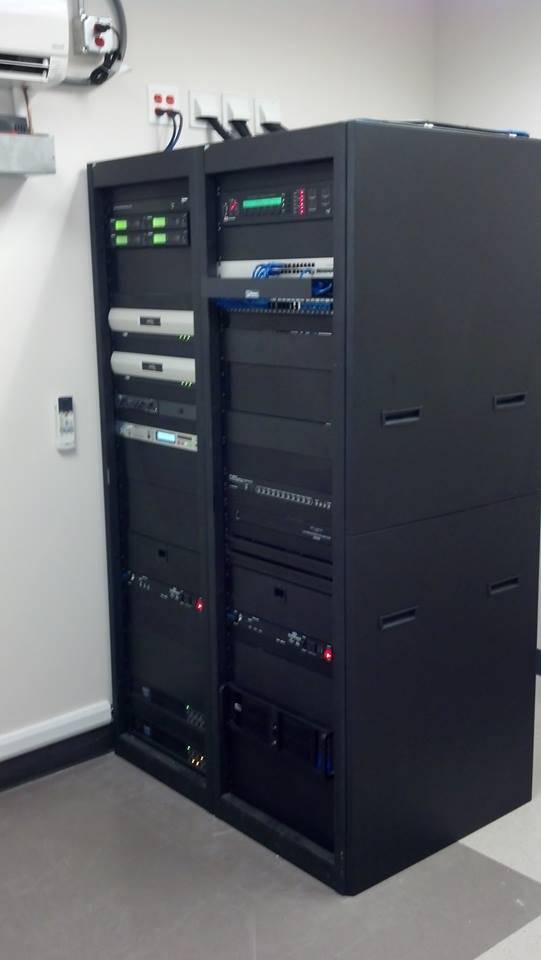
  • Professional installation and rack fabrication
  • System programming and integration
  • Testing, commissioning, and quality assurance
  • User training, documentation, and ongoing support

The goal is to develop a system that meets the client’s requirements while maintaining continuity throughout the project lifecycle.

1. Better Project Coordination

One of the primary advantages of AV design-build is improved coordination between the technical design and installation phases.

Commercial AV projects frequently involve architects, general contractors, electrical contractors, IT departments, facility managers, and other stakeholders. Each group has its own responsibilities, schedules, and technical requirements.

When AV design and installation are coordinated from the beginning, infrastructure needs and installation constraints can be identified earlier.

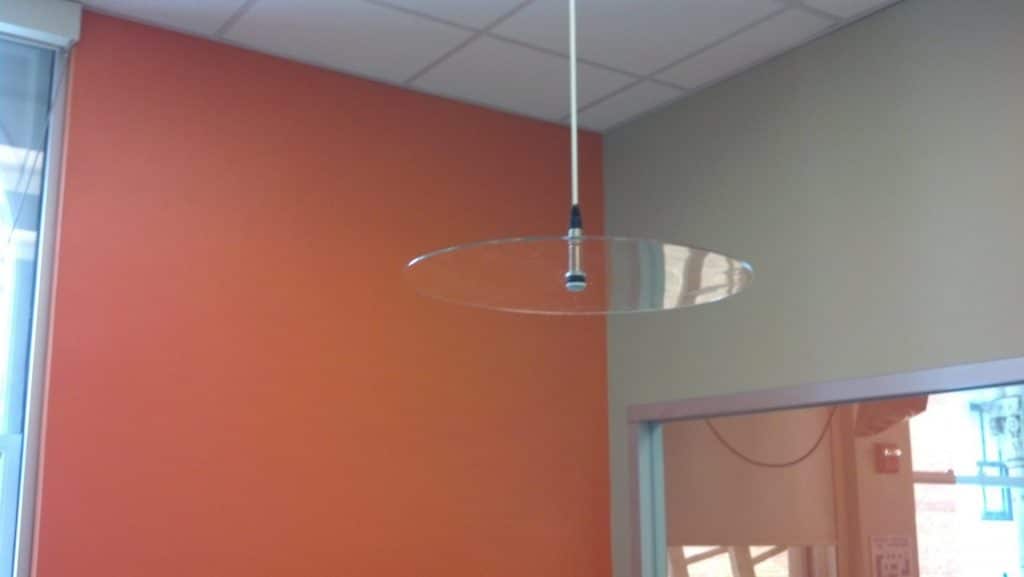
For example, a conference room may require ceiling microphones, loudspeakers, cameras, displays, network connections, and a dedicated equipment rack. Each component has physical and technical requirements that must be coordinated with the room design and other building systems.

Addressing these details during planning can help reduce installation conflicts, minimize avoidable rework, and improve communication among the project team.

2. Clearer Project Scope and Expectations

A successful AV project begins with a clear understanding of what the system must accomplish.

The design-build process provides an opportunity to define requirements, document system functionality, establish equipment selections, and identify the infrastructure necessary for implementation.

This helps stakeholders understand what is included in the project and how the proposed solution is intended to operate.

Depending on the project, documentation may include equipment lists, system diagrams, rack elevations, cable schedules, control-system descriptions, and installation drawings.

A well-defined scope also provides a reference for evaluating proposed changes during construction. If requirements change, the team can review the technical and scheduling implications before proceeding.

Clear documentation helps reduce misunderstandings and supports more informed project decisions.

3. Improved Budget Planning and Cost Control

Budget management is an important consideration for any commercial technology project.

An AV system involves more than the cost of displays, cameras, microphones, and other equipment. Infrastructure, cabling, mounting hardware, rack fabrication, programming, installation labor, commissioning, and training may also contribute to the overall project cost.

A coordinated design-build process considers these requirements together.

By evaluating the intended functionality and infrastructure early, the project team can identify potential cost drivers and make informed decisions about equipment, system complexity, and installation methods.

This approach can help reduce avoidable expenses associated with redesign, incompatible equipment, incomplete infrastructure, and construction changes.

It also allows the client to prioritize essential functionality while considering future expansion.

Although design-build does not automatically guarantee lower costs, early planning and coordinated execution can improve budget visibility and reduce the risk of preventable project expenses.

4. Technology Designed for the Application

Not every room requires the same AV technology.

A small huddle room may need a display, conferencing camera, microphone, and straightforward room control. An executive boardroom may require multiple displays, advanced audio processing, several video sources, and integrated conferencing. A training facility may need presentation systems, distributed audio, recording capabilities, and flexible content sharing.

The design-build approach begins with the intended application rather than selecting equipment in isolation.

System designers can evaluate room dimensions, viewing distances, acoustics, lighting, network requirements, user workflows, and integration needs before finalizing the equipment configuration.

This helps ensure that technology choices support the intended use of the space instead of adding unnecessary complexity.

The result is a solution designed around business requirements, not simply a collection of individual devices.

5. A More Consistent User Experience

The effectiveness of an AV system depends on how reliably and easily people can use it.

Even technically capable equipment can create frustration when controls are confusing, components behave inconsistently, or common functions require unnecessary steps.

During the design-build process, user interaction can be considered alongside equipment selection and system architecture.

For example, a properly configured conference room might allow an employee to start a meeting, select a presentation source, adjust the volume, and control the display through a single touch panel.

Programming and commissioning then verify that these functions work as intended.

By considering the user experience from the design stage, the project team can develop more consistent room operation and reduce the learning curve for employees.

6. Higher Installation Quality and Better Serviceability

A well-designed system should be practical to install, operate, maintain, and troubleshoot.

The design-build process allows installation considerations to influence engineering decisions before work begins.

Equipment rack layouts, cable routing, labeling, ventilation, access clearances, and component placement can all be addressed during the design phase.

Professional rack fabrication and organized cable management can make a significant difference in the long-term serviceability of a commercial AV system.

When equipment is properly documented and installed in an orderly manner, technicians can more easily identify connections, diagnose problems, and perform maintenance.

This attention to detail supports more manageable system ownership over time.

7. More Effective Testing and Commissioning

A commercial AV installation should be evaluated as a complete system, not merely as a collection of installed devices.

Displays may power on correctly while video switching fails under certain conditions. Microphones may function but require further adjustment to deliver suitable speech pickup. A touch panel may communicate with some equipment while other control functions remain incomplete.

The design-build process provides a coordinated path from documented requirements to system testing and acceptance.

Commissioning may include:

  • Verification of audio and video signal paths
  • Testing of microphones, loudspeakers, and audio processing
  • Display resolution and video switching checks
  • Conferencing and camera functionality tests
  • Control-system and touch-panel validation
  • Verification of equipment communication
  • Documentation of outstanding items and corrective work

Testing against the agreed project requirements helps identify issues before the system is handed over to the client.

8. Greater Flexibility for Future Upgrades

Business technology changes continually. Organizations add meeting spaces, adopt new collaboration platforms, replace aging equipment, and adjust workplace layouts.

An AV system designed only around immediate installation requirements may be more difficult or expensive to modify later.

Design-build provides an opportunity to consider future needs during the initial engineering process.

Depending on the project, this may include planning cable pathways, rack capacity, network connectivity, equipment access, control-system architecture, and the ability to add additional displays or rooms.

Future-proofing does not mean predicting every technology change. It means making practical design decisions that preserve reasonable options for expansion and modernization.

9. Stronger Collaboration with IT and Construction Teams

AV systems increasingly rely on networks, software, device management, and integration with other workplace technologies.

Early coordination with IT and construction teams helps address requirements that could otherwise become installation obstacles.

Examples include network ports, device addressing, VLAN requirements, cybersecurity policies, electrical power, equipment ventilation, ceiling coordination, and cable pathway availability.

These requirements vary by system and facility, so they should be reviewed with the appropriate technical stakeholders.

By coordinating these details during planning, the AV team can reduce uncertainty and establish a more organized implementation process.

10. A Clearer Path from Installation to Ongoing Support

The relationship with an AV system does not end when the installation is complete.

Organizations may need technical assistance, maintenance, equipment replacement, software updates, room modifications, or additional systems in the future.

A coordinated design-build process helps establish a foundation for ongoing support through system documentation, configuration records, equipment schedules, and an organized handover.

These materials give facility and IT teams a better understanding of the installed system and help support future troubleshooting and upgrades.

For businesses that rely on AV technology every day, long-term serviceability is an important consideration from the beginning of the project.

Which Projects Benefit from AV Design-Build?

The design-build approach can be valuable for many commercial applications, including:

Corporate conference rooms and boardrooms: Integrated displays, video conferencing, microphones, cameras, and room control.

Training rooms and educational facilities: Presentation systems, instructor audio, content distribution, and recording technology.

Auditoriums and multipurpose spaces: Large-format displays, projection, distributed audio, video switching, and centralized control.

Commercial AV infrastructure: Equipment racks, structured cabling, signal distribution, and integrated system components.

Sound masking systems: Engineered background sound solutions designed to help reduce the intelligibility of distant speech and support workplace acoustic privacy.

Facility renovations and technology upgrades: Replacement of outdated equipment, system redesign, and integration with existing infrastructure.

Each project has different requirements, but all benefit from a clear scope, coordinated planning, and attention to the complete system.

Why the Right AV Partner Matters

The advantages of design-build depend on how effectively the process is planned and executed.

A qualified AV partner should understand the client’s objectives, evaluate the technical environment, document the system requirements, coordinate with relevant stakeholders, and verify performance before handover.

Experience across design, engineering, installation, programming, and commissioning helps connect the individual project phases and identify issues before they become more difficult to resolve.

At Proud Audio-Visual, our focus is on developing commercial AV solutions that address the needs of the space, support the people using the technology, and provide a practical foundation for ongoing operation.

From initial consultation and site survey through system integration and support, a coordinated approach helps keep the project focused on its intended goals.

Conclusion: A Smarter Way to Deliver Commercial AV Systems

The AV design-build process offers a structured approach to planning and implementing commercial audio-visual technology.

By coordinating design, engineering, procurement, installation, programming, and commissioning, organizations can improve project clarity, address technical requirements earlier, support better installation quality, and plan for future technology needs.

The benefits extend beyond the installation itself. A well-planned system can provide a more intuitive user experience, more organized maintenance, and a clearer path for future upgrades.

Whether you are building a new facility, renovating an office, or modernizing conference room technology, the right process can make a meaningful difference in how your AV system is delivered and used.

Proud Audio-Visual is ready to help you plan your next commercial AV project.

Start with a site survey to discuss your requirements, evaluate your space, and identify the right approach for your facility.

Visit www.proudaudio.com to learn more about our commercial AV solutions.
The Benefits of Sound Masking Systems in the Modern Workplace

Improving Speech Privacy, Employee Focus, and Acoustic Comfort

In today’s modern workplace, effective communication, employee productivity, and speech privacy are essential to a successful business environment. While open office layouts encourage collaboration, they can also introduce acoustic challenges, including distracting conversations, unwanted background noise, and a lack of speech confidentiality.

Sound masking systems provide an engineered solution to these challenges by improving the acoustic environment through the controlled distribution of a specially designed background sound. When properly designed and commissioned, sound masking can help reduce speech intelligibility at a distance, improve workplace concentration, and support privacy in offices, conference rooms, healthcare facilities, and other commercial environments.

For organizations investing in workplace technology, sound masking is an important component of a comprehensive acoustic design strategy.

What Is a Sound Masking System?

A sound masking system is an electroacoustic system that introduces a carefully calibrated, unobtrusive background sound into an occupied space. The sound is typically engineered to resemble a soft, consistent airflow rather than music or conventional white noise.

Unlike sound reinforcement systems, which are designed to make speech and other audio content easier to hear, sound masking systems are designed to make conversations less intelligible outside their intended listening area.

Human speech contains a broad range of frequencies, and conversations can travel considerable distances through open spaces, corridors, ceilings, and adjacent rooms. In a quiet environment, even ordinary conversations may become distracting or intelligible to unintended listeners.

Sound masking raises the ambient acoustic level in a controlled manner, reducing the contrast between speech and the surrounding environment. This can make distant conversations less noticeable and more difficult to understand without requiring employees to speak louder.

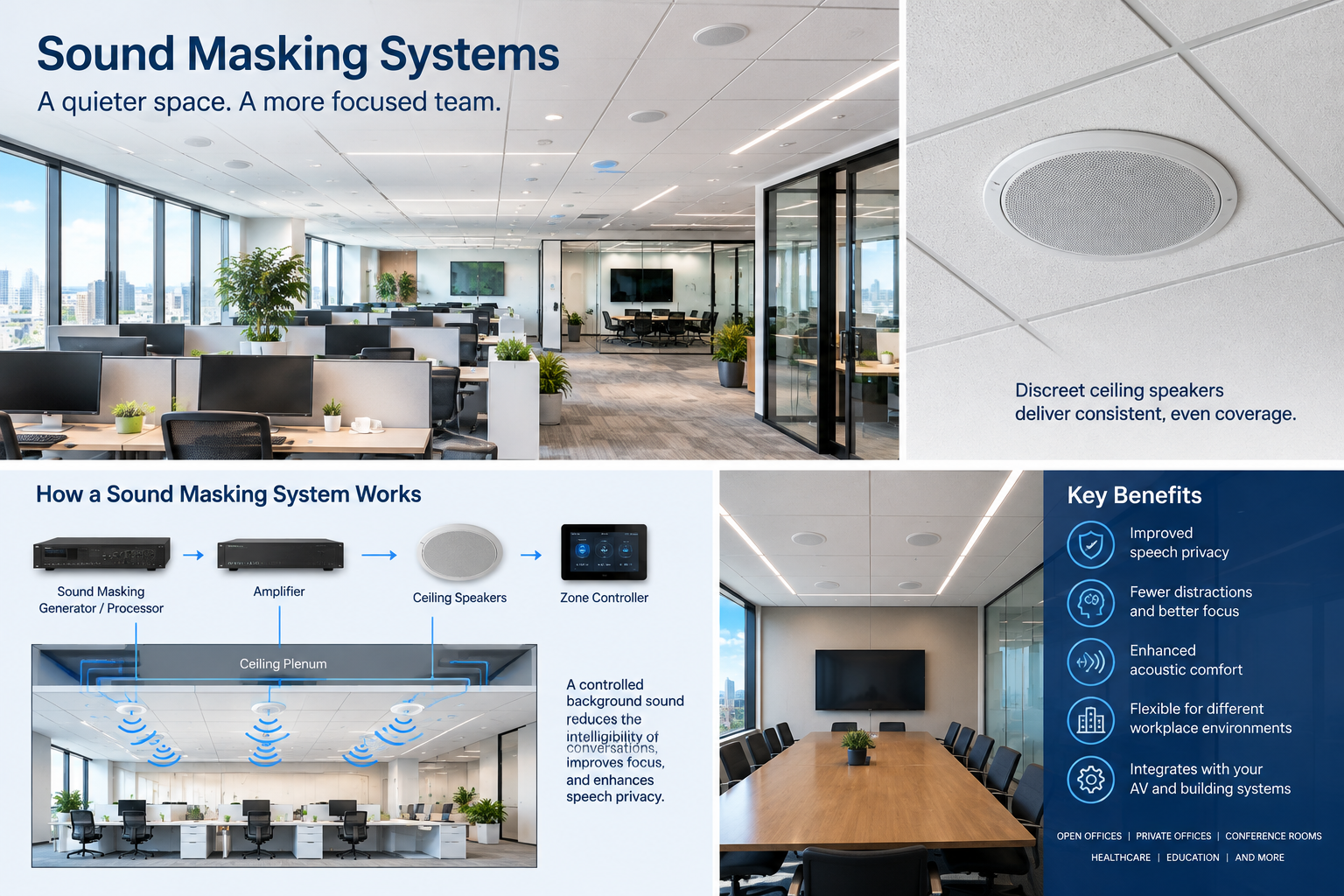
A properly engineered system typically consists of:

  • Sound masking generators or digital processors: Produce or manage the masking signal.

  • Amplifiers: Provide the necessary output power to drive the loudspeakers.

  • Distributed loudspeakers: Deliver the masking sound throughout the designated areas, often from the ceiling plenum or above the ceiling.

  • Zone controllers: Allow independent adjustment of masking levels for different rooms or functional areas.

  • Commissioning and calibration: Establish appropriate sound levels and frequency response for the actual space.

Modern systems may also integrate network-based control, centralized monitoring, and scheduling capabilities, depending on the manufacturer and system architecture.

1. Improved Speech Privacy

One of the primary benefits of sound masking is improved speech privacy.

In offices with low ambient noise, conversations between employees can be heard from nearby workstations, hallways, or adjacent offices. This can be particularly problematic in human resources departments, executive offices, legal offices, financial services environments, and healthcare facilities.

Sound masking reduces the effective signal-to-noise ratio of distant speech, making conversations less intelligible to unintended listeners.

This does not mean that sound masking completely blocks sound or guarantees confidentiality. Rather, it reduces the likelihood that ordinary conversations will be clearly understood outside their intended area.

For organizations handling sensitive information, sound masking can complement physical separation, appropriate room construction, door seals, and other acoustic privacy measures.

2. Reduced Distractions in Open Office Environments

Open office designs offer flexibility and encourage collaboration, but they can also expose employees to frequent conversations, telephone calls, and other sources of intermittent noise.

These distractions can interrupt concentration, particularly during tasks requiring sustained attention, analytical thinking, writing, or detailed computer work.

Sound masking helps establish a more consistent acoustic environment. By reducing the intelligibility and perceived prominence of distant conversations, it can make activity in surrounding work areas less distracting.

Potential applications include:

  • Open-plan offices and shared workstations

  • Call centers and customer service departments

  • Coworking spaces

  • Administrative offices

  • Collaborative work areas

  • Hybrid workplaces with a mixture of assigned and flexible seating

The objective is not to eliminate all workplace sound. It is to reduce the disruptive impact of unwanted speech while maintaining a comfortable environment for normal communication.

3. Enhanced Acoustic Comfort

A very quiet room is not always an acoustically comfortable room. In environments with exceptionally low background noise, small sounds and distant conversations may become unusually noticeable.

Sound masking introduces a consistent, controlled acoustic background that can reduce the perceived contrast between quiet periods and sudden sound events.

This can make the environment feel more uniform and less affected by fluctuations in nearby activity.

However, acoustic comfort depends on proper system design. Excessive sound levels, poor frequency balance, or uneven coverage can create annoyance rather than improve the workplace.

For this reason, sound masking should be professionally calibrated to suit the building, the occupants, and the intended use of each space.

4. Support for Confidential Meetings and Private Offices

Conference rooms, executive offices, consultation rooms, and meeting spaces often require additional attention to speech privacy.

Sound masking can be deployed in surrounding corridors, adjacent work areas, or selected spaces to help reduce the intelligibility of conversations that travel beyond the intended room.

In some applications, localized masking near a room’s perimeter can also form part of a broader privacy strategy.

It is important to distinguish sound masking from sound isolation. Masking does not repair a poorly constructed wall, seal an undercut door, or eliminate sound transmission through shared ceilings and ductwork.

Where confidentiality is critical, a complete acoustic assessment should consider:

  • Wall construction and sound transmission performance

  • Door assemblies, seals, and gaps

  • Ceiling plenums and shared return-air pathways

  • HVAC penetrations and other flanking paths

  • Room reverberation and background noise

  • Masking coverage in adjacent occupied areas

The best results come from combining sound masking with appropriate architectural and mechanical design measures.

5. Greater Flexibility for Modern Office Design

Many commercial buildings use open ceilings, glass partitions, movable walls, and flexible workstation layouts. These architectural features can create acoustic challenges that traditional room-by-room solutions do not fully address.

A zoned sound masking system can be designed to accommodate different workplace functions, including open offices, private offices, circulation areas, and collaboration spaces.

Independent zone control allows acoustic settings to be adjusted for the intended use of each area. For example, a quiet administrative workspace may require a different masking configuration from a busy customer support floor.

When planning a new office or renovating an existing building, incorporating sound masking early in the design process can help coordinate loudspeaker placement, cabling, power requirements, ceiling conditions, and control infrastructure.

6. Integration with Commercial Audio-Visual and Building Systems

Sound masking is a specialized audio application, but its design and deployment share important considerations with commercial audio-visual systems.

Both require an understanding of room geometry, loudspeaker distribution, signal routing, amplification, cabling, control systems, and commissioning.

Depending on the product selected, sound masking may support centralized configuration, network-based management, scheduled operation, or integration with broader building technology workflows.

An experienced AV integrator can help coordinate sound masking with other building systems, including:

  • Conference room AV and control systems

  • Distributed audio infrastructure

  • Structured cabling and network planning

  • Ceiling coordination and architectural requirements

  • Facility management and maintenance procedures

Sound masking should generally remain appropriately separated from program audio and paging functions unless the selected system has been specifically designed to support those functions. Masking levels must not compromise speech intelligibility for emergency announcements, paging, or normal face-to-face communication.

7. Potential Benefits for Employee Productivity and Workplace Experience

Workplace acoustics can influence how employees perceive their environment and how easily they maintain concentration.

Reducing distracting conversations may help employees stay focused on complex tasks and improve their overall experience of shared workspaces. A more consistent acoustic environment may also make open offices feel less intrusive.

These benefits depend on the nature of the work, the existing acoustic conditions, the preferences of the occupants, and the quality of the installation.

Sound masking is not a substitute for good workplace planning, adequate quiet rooms, thoughtful office layouts, or effective organizational policies. It is one component of a broader strategy for creating a productive and comfortable workplace.

How Sound Masking Technology Works

Sound masking systems are most effective when the sound is distributed evenly and its acoustic characteristics are appropriate for the space.

Frequency Response

Human speech contains important intelligibility cues across multiple frequency bands. A masking signal must be designed with a suitable frequency response to reduce the intelligibility of speech without sounding harsh, distracting, or unnatural.

Many professional systems provide electronic equalization or digital signal processing to adjust the masking spectrum during commissioning.

Sound Pressure Level

The masking level is measured in decibels, typically using A-weighted sound pressure level (dBA) for overall environmental assessment. Depending on the application, additional measurements may be needed to evaluate frequency-specific performance.

There is no single masking level that is appropriate for every building. The target depends on the existing background noise, ceiling height, room geometry, occupancy, and required privacy.

Too little masking may provide limited benefit. Too much can become annoying, interfere with conversation, or contribute to excessive overall noise.

Loudspeaker Placement and Coverage

Professional sound masking systems commonly use distributed loudspeakers positioned above suspended ceilings or within ceiling systems designed for the application.

Placement and spacing are critical to maintaining uniform coverage. Ceiling construction, plenum dimensions, HVAC equipment, partitions, and other building features can affect sound distribution.

A system that sounds consistent at one workstation may have noticeable variations elsewhere if loudspeaker placement and output levels are not properly designed.

Zoning and Calibration

Different areas of a building often require different acoustic settings. A professional system may divide the facility into independently adjustable zones.

During commissioning, the installer measures and adjusts the sound field to establish appropriate levels and spectral balance across the occupied areas.

Calibration should account for the actual installation rather than relying exclusively on factory settings or theoretical loudspeaker coverage.

Sound Masking Best Practices

For successful deployment, organizations should consider the following recommendations:

  1. Perform an acoustic site survey. Document room dimensions, ceiling construction, occupancy, existing noise levels, and privacy requirements.

  2. Define the desired outcome. Identify whether the primary goal is reducing distractions, improving speech privacy, or addressing a combination of acoustic concerns.

  3. Develop a coverage and zoning plan. Establish loudspeaker locations, zone boundaries, amplifier requirements, and control arrangements.

  4. Coordinate with other building systems. Review lighting, HVAC, fire protection, ceiling access, power, and cabling requirements before installation.

  5. Commission the system in the actual space. Measure sound levels and frequency response, then adjust settings to suit each area.

  6. Evaluate occupant comfort. Gather feedback after implementation and make controlled adjustments where necessary.

  7. Establish maintenance procedures. Document configuration settings, verify operation periodically, and re-evaluate coverage when walls, ceilings, or workstation layouts change.

For projects involving sensitive conversations, privacy expectations should be documented clearly. If formal acoustic performance criteria apply, the design team should identify the relevant standards and testing methods before construction.

Sound Masking Compared with Other Acoustic Solutions

Sound masking works best as part of an integrated acoustic strategy.

SolutionPrimary purpose
Sound maskingReduces the intelligibility and prominence of distant speech
Acoustic ceiling tilesAbsorb sound and reduce reflected energy
Acoustic wall panelsReduce reflections and reverberation
Sound-isolating partitionsLimit sound transmission between spaces
Door seals and perimeter treatmentsReduce leakage through gaps and door assemblies
Space planningSeparates noisy activities from concentration-sensitive work

These solutions address different acoustic problems. For example, acoustic absorption can reduce reverberation within a room, while sound isolation limits the amount of sound passing between rooms. Sound masking addresses how audible and intelligible sound is within the receiving environment.

In many workplaces, the strongest result comes from combining several of these approaches.

Conclusion: A Smarter Approach to Workplace Acoustics

Sound masking is a valuable technology for organizations seeking to improve speech privacy, reduce conversational distractions, and create a more comfortable acoustic environment.

When properly designed, installed, and calibrated, a sound masking system can support open office layouts, private offices, conference areas, healthcare environments, and other commercial spaces where acoustic comfort and speech privacy matter.

The key to success is a system engineered for the specific building and its occupants. Appropriate frequency response, uniform loudspeaker coverage, zoning, commissioning, and coordination with other acoustic measures are essential to achieving the intended results.

Proud Audio-Visual helps organizations plan and implement commercial audio-visual and workplace technology solutions. If you are evaluating sound masking for a new facility, office renovation, or existing workplace, a professional site survey can help identify acoustic challenges, determine coverage requirements, and establish an appropriate system design.

Visit https://www.proudaudio.com/ to learn more about commercial AV solutions and discuss your next project.


4-5-22

Due to the ongoing massive supply chain disruptions many items that normally were in stock can be on long back orders for up to 26+ weeks. This initial back order problem started to surface in the 2nd quarter of 2021 of around 8 weeks. Manufactures have progressively extended these lead times just like a moving target for reasons that are out of their control, the global chip shortage. Currently as of March of 2022 certain key products may now require an estimated 39 week lead times which puts the handcuffs on all new orders. This has caused a unprecedented disruption in the efficiency that business is conducted, and building integrated AV systems which rely on all the pieces of the puzzle for them to function as a system. The massive shortages of chip sets, semiconductors, resin, wood, certain types of metals and slower production capability, shipping delays has led to the extremely long back orders and affected pretty much all industries around the world.

We will continue to do our best to work through this frustrating supply chain problem that has impacted the entire world for the past 2 years.

Bill Proud

Please click the link to the article below from SVC published on 5-21-2021.


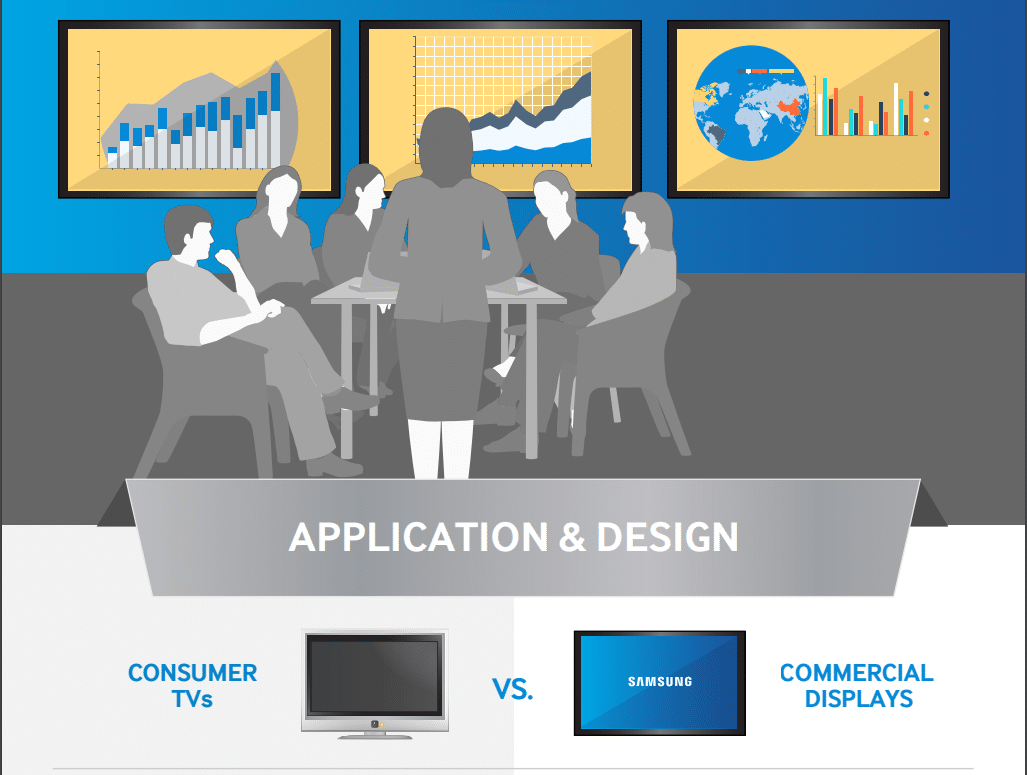
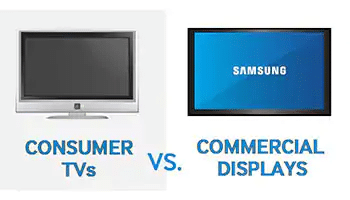
See how commercial displays specifically designed for business environments deliver key benefits that are missing from low cost consumer TVs.


Consumer vs Commercial Flat Screens.PDF


Wireless Microphone Operations and Prohibitions after October 13, 2018

Transition of Wireless Microphones out of the 600 MHz Band.

In the May 2014 Incentive Auction Report and Order, the FCC adopted rules to implement the broadcast television spectrum incentive auction, which will involve reorganizing the existing television band and repurposing a portion of the UHF television band for new wireless broadband services following the close of the incentive auction.

FCC 14-50  As a result of this auction, which closed on April 13, 2017, spectrum on most 600 MHz frequencies – specifically the 617-652 MHz and 663-698 MHz frequencies – has been repurposed for the 600 MHz service for wireless licensees. DA 17-314  The spectrum that is used by these 600 MHz service licensees will no longer be available to wireless microphones in the coming years, as discussed below.  All wireless microphone operations in the 600 MHz service band must cease no later than 39 months after the close of the incentive auction.  FCC 14-50 – which is July 13, 2020.  DA 17-314.  And, wireless microphone operations must cease earlier if such operations could cause harmful interference to any 600 MHz service licensee’s operations.  In particular, wireless microphone users must cease operation in frequencies in any areas where a 600 MHz service licensee has commenced their operation or is conducting its first field application testing. FCC 15-140

The FCC has provided for a transition period of up to 39 months to help smooth the transition as wireless microphone operators obtain new equipment and transition out of the repurposed 600 MHz service band (617-652 MHz / 663-698 MHz) to other spectrum. During the transition period, which ends on July 13, 2020, these operators may continue to access the spectrum that has been repurposed to 600 MHz service licensees under certain conditions.  Specifically, wireless microphone users may operate on the 600 MHz service spectrum – the 617-652 MHz and 663-698 MHz frequencies – only if they do not cause harmful interference either to the existing broadcast television operations (which also must cease operating in the band no later than January 13, 2020) or to the 600 MHz service wireless licensees’ operations in the band.  Wireless microphone users also must accept harmful interference from those broadcast television and 600 MHz service licensees. FCC 14-50, FCC 15-100,  FCC 15-99,  FCC 15-140  

Wireless microphone users, whether licensed or unlicensed, may continue to operate on a secondary basis in the bands that continue to be available for and used on a primary basis by broadcast television (TV channels 2-36).  Use of these TV band frequencies, which fall below 608 MHz, remain available for wireless microphone use after the incentive auction. FCC 15-100,  FCC 15-99  Licensed wireless microphones may also operate on the specific frequencies in the 600 MHz duplex gap (652-657 MHz), and unlicensed wireless microphones may operate on a portion of the 600 MHz guard band (614-616 MHz) or a portion of the 600 MHz duplex gap (657-663 MHz).  FCC 15-100,  FCC 15-99, DA 17-314

As discussed above, licensed wireless microphone users also may operate in other spectrum bands, including portions of the 169-172 MHz band, the 900 MHz band, the 1435-1525 MHz band, and the 7 GHz band. Part 74, Subpart H  Wireless microphones may also operate on an unlicensed basis in several other bands, including the 902-928 MHz band, the 1920-1930 MHz band, and the 2.4 GHz band. FCC 15-100

Wireless Microphone Sales

Going forward, anyone selling a wireless microphone or other device designed to operate in the restricted 600 MHz wireless service band (617-652 MHz / 663-698 MHz) will be required to notify buyers at the point of sale that the device may no longer be used after July 13, 2020, and that users may be required to cease operation earlier if using the device could cause harmful interference that disrupts wireless communications for new service licensees.  DA 17-709

The manufacture, import, sale, lease, offer for sale or lease, or shipment of wireless microphones or similar devices intended for use in the United States that operate on the 600 MHz service band frequencies (617-652 MHz and 663-698 MHz) is prohibited after October 13, 2018 ( See FCC 15-100,  FCC 15-99, DA 17-314, FCC 17-95).

https://www.fcc.gov/wireless/bureau-divisions/mobility-division/wireless-microphones

Shure Microflex Advance MXA910 Ceiling Array Product Overview

The Microflex® Advance™ MXA910 Ceiling Array is a premium networked array microphone for AV Conferencing that captures best-in-class audio from above the meeting space with Shure proprietary Steerable Coverage™ technology and an intuitive user interface that allows for simple configuration of presets, templates and polar patterns.

Shure Microflex Advance MXA310 Table Array Product Overview

The Microflex® Advance™ MXA310 Table Array is a networked array microphone targeted at AV Conferencing applications where premium audio and a low profile appearance are paramount. Shure’s IntelliMix® DSP Suite Steerable Coverage™ technology deploys four discrete zones of table coverage.